Best Smart Thermostat 2026: A Tech's Honest Picks
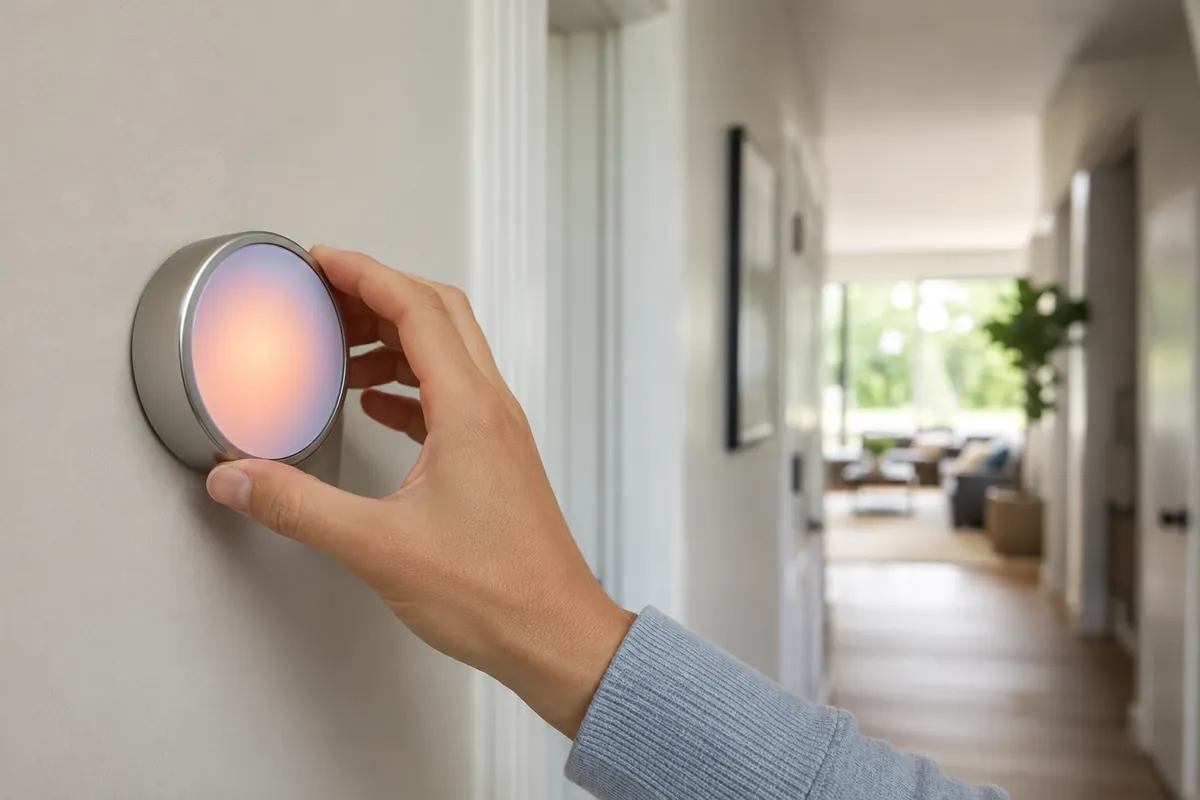
Best smart thermostat: for most homes in 2026 the ecobee Smart Thermostat Premium and the Google Nest Learning Thermostat are the two I install most, with the Honeywell Home T9 as the value pick, but the right one depends entirely on whether you have a C-wire and what kind of heating system you run.
I've wired up hundreds of these things over 18 years, and I've also been called back to fix a few dozen that homeowners installed themselves and couldn't figure out why the furnace short-cycled or the heat pump ran on expensive backup heat all winter. A smart thermostat is a great upgrade. It's also the single most common DIY HVAC mistake I see, because people buy on app features and ignore the wiring and the equipment underneath.
So here's the field version: what to buy, what not to buy, and the compatibility traps that turn a $250 thermostat into a service call.
The C-Wire Reality Check (Read This First)
Most modern smart thermostats need constant power. The old mercury and basic digital stats ran off a battery or stole a trickle of power from the heat call. The new ones have bright screens, Wi-Fi radios, and sensors that need a steady 24-volt feed. That feed comes from the C-wire, the common wire.
Here's the problem: a lot of older homes were wired with only four conductors and no C. If you pull your old thermostat and see wires on R, W, Y, and G but nothing on C, you have three options:
- Run a new wire. Best fix if the cable run is accessible. A tech can pull a fresh 18/5 cable.
- Use the included power adapter. ecobee ships a Power Extender Kit that adds a common wire at the furnace control board. Honeywell sells a C-wire adapter too. These work well when installed correctly.
- Buy a stat that doesn't strictly need a C. The Nest Learning Thermostat can run on some systems without a dedicated C, but it charges off the heat/cool wires and can cause intermittent issues on certain low-power or single-stage systems. I've chased plenty of "it keeps dropping off Wi-Fi" calls back to a missing common.
> Do not buy a smart thermostat that requires a C-wire if you don't have one and aren't prepared to install an adapter or run a wire. This is the number one cause of failed self-installs.
If you're handy, a C-wire adapter kit solves it for most furnaces. If the furnace board is a maze, that's a job for a tech.
Heat Pump, Aux Heat, and Two-Stage Compatibility
This is the part the box doesn't make obvious. Your thermostat has to match your equipment, not just your Wi-Fi.
- Heat pumps use a reversing valve and need a stat with O/B terminals. Get this wrong and you'll heat when you mean to cool.
- Auxiliary and emergency heat. Heat pumps have backup heat (electric strips or a gas furnace). The thermostat controls when that expensive backup kicks in. A good stat with proper aux staging saves real money; a misconfigured one runs the strips constantly. I've seen winter electric bills double from this single setting.
- Two-stage and variable-speed equipment need a thermostat that supports multiple stages (W1/W2, Y1/Y2) to use the low, quiet, efficient stage. Pair a two-stage furnace with a single-stage stat and you've paid for capability you can't use.
Before you buy anything, pull your current thermostat off the wall, photograph the wiring, and note the terminal letters. Then use the manufacturer's online compatibility checker. Every brand has one and they're accurate.
The Picks
Here's what I actually recommend, by situation.
| Thermostat | Best for | C-wire | Notes |
|---|---|---|---|
| ecobee Smart Thermostat Premium | Most homes, heat pumps | Adapter included | Best sensors, strong aux staging, air-quality sensor |
| Google Nest Learning Thermostat | Set-and-forget users | Sometimes optional | Learns schedule, slick UI, occasional low-power quirks |
| Honeywell Home T9 | Value, multi-room | Adapter included | Great remote sensors, simple, reliable |
| ecobee Smart Thermostat Enhanced | Budget ecobee | Adapter included | Drops the air-quality sensor, keeps the core |
| Google Nest Thermostat (basic) | Tight budget | C usually required | No learning, mirror display, needs a common |
ecobee Smart Thermostat Premium
This is my default recommendation. The ecobee Smart Thermostat Premium ships with a Power Extender Kit so the C-wire problem is mostly solved out of the box, it handles heat pumps and multi-stage equipment cleanly, and its remote sensors let you average temperature across rooms instead of just reading the hallway. The aux-heat staging logic is the best I've used, which matters a lot on a heat pump.
Google Nest Learning Thermostat
The Google Nest Learning Thermostat is the one people recognize. It learns your schedule over a week or two and the interface is genuinely nice. My one caution: on certain single-stage or low-power systems it can run into the no-C-wire power issues I described above. Verify with Nest's compatibility tool first, and if you have any doubt, add a common.
Honeywell Home T9
The Honeywell Home T9 is the quiet value play. It includes a C-wire adapter, supports add-on smart thermostat room sensors that track temperature and occupancy, and it just works. If you want multi-room balancing without paying ecobee Premium money, this is it.
ecobee Smart Thermostat Enhanced
If you like the ecobee approach but don't need the Premium's built-in air-quality sensor, the ecobee Smart Thermostat Enhanced keeps the same heat-pump handling, the same Power Extender Kit for the C-wire, and the same solid aux-heat staging for less money. It also works with ecobee's remote room sensors, so you still get room-by-room balancing. For most budget-minded homes with a heat pump, this is the smarter buy than dropping to a basic Nest that needs a guaranteed C-wire.
Features Worth Paying For, and Features That Are Hype
Let's separate the two honestly.
Worth it:
- Remote sensors. The biggest real comfort gain. A thermostat in the hallway can't feel the cold bedroom. Sensors fix that.
- Geofencing. Setting back the temperature when your phone leaves home actually saves energy because it acts on real occupancy, not a guessed schedule.
- Proper scheduling and aux-heat control. This is where the savings live, especially on heat pumps.
Mostly hype:
- "AI" that promises huge savings. The honest number is real but modest. The federal ENERGY STAR program certifies smart thermostats based on demonstrated field savings, and the realistic figure lands in the single-digit to low-teens percentage of heating and cooling cost, mostly from setbacks you could have programmed on a $40 stat. The smart features make it convenient enough that you actually use the setbacks, which is the real win.
- Voice control as a buying reason. Nice to have, never a reason to pick a stat that doesn't fit your system.
Don't buy a smart thermostat expecting it to cut your bill in half. Buy it for comfort, remote control, sensor-based room balancing, and smarter backup-heat staging. The savings are a bonus, not the headline.
Installation: DIY or Call a Tech?
I'm not going to tell you never to do this yourself, because plenty of homeowners install these fine. But be honest about which situation you're in.
Safe to DIY if: you have a clear C-wire, a simple single-stage furnace and AC, and you can photograph and match the existing wiring terminal for terminal. Label every wire before you pull the old stat. Turn off power at the furnace switch and breaker first. Take your time on the O/B setting if you have a heat pump.
Call a tech if: you have a heat pump with electric or gas backup, a two-stage or variable-speed system, no C-wire and a furnace board you don't recognize, or any wiring that doesn't match the new thermostat's diagram. The aux-heat and staging configuration is where self-installs go wrong, and a wrong setting there can run your most expensive heat source constantly without any obvious symptom until the bill arrives.
A common one I get called about: somebody swaps in a smart stat on a heat pump, leaves the backup-heat lockout misconfigured, and the electric strips run alongside the heat pump all winter. The house stays warm, so nothing seems broken, but they're paying resistance-heat prices for months. A 20-minute config check would have caught it. If you're not certain how your backup heat is staged, that's the line where I'd hand it to a pro.
Common wiring terminals, decoded
When you pull the old thermostat, you'll see lettered terminals. Here's what they do so the photo you take actually means something:
- R / Rc / Rh: power (24V). Rc cools, Rh heats; jumpered together on most single-transformer systems.
- C: common, the constant-power return. The one everybody's missing.
- W / W2: heat call, stage 1 and 2.
- Y / Y2: cooling call, stage 1 and 2.
- G: fan.
- O/B: heat-pump reversing valve. This is the one that bites people.
If you see terminals you don't recognize or wires bundled in ways the new diagram doesn't show, stop and call someone. Guessing here is how a heat call becomes a cool call.
A Note on Compatibility Checkers
Every brand runs an online compatibility tool, and they're genuinely accurate. Before you order anything, pull your current thermostat off the wall, photograph the wiring with the labels visible, and run those exact terminals through ecobee's, Google's, or Honeywell's checker. It takes five minutes and it's the difference between a clean install and a return.
The checkers will also flag when you need an adapter or a C-wire, so you can buy the C-wire adapter kit in the same order instead of discovering the problem with the furnace already half apart. Doing this homework up front is the whole reason most of my customers' upgrades go smoothly and most of the failed DIY calls I get did not.
Frequently Asked Questions
Do I need a C-wire for a smart thermostat?
Most modern smart thermostats need a C-wire (common wire) for constant power, but you have options if you don't have one. The ecobee Premium and Honeywell T9 both ship with a power adapter that adds a common at the furnace board, and a Nest can sometimes run without a dedicated C on certain systems. If you pull your old stat and see no wire on the C terminal, plan on an adapter or running a fresh 18/5 cable before you order.
What is the best smart thermostat for a heat pump?
For a heat pump I install the ecobee Smart Thermostat Premium more than anything else, because its auxiliary-heat staging logic is the best I've used and it ships with the C-wire kit built in. Heat pumps need a stat with O/B terminals and proper backup-heat control, and a misconfigured one can run expensive electric strips all winter. Verify your equipment terminals against the manufacturer's compatibility checker before buying.
Can I install a smart thermostat myself?
Yes, if you have a clear C-wire, a simple single-stage furnace and AC, and you photograph and match the existing wiring terminal for terminal. Label every wire, kill power at the furnace switch and breaker first, and take your time on the O/B setting if you have a heat pump. Call a tech if you have a heat pump with backup heat, a two-stage or variable-speed system, or any wiring that doesn't match the new thermostat's diagram.
How much can a smart thermostat actually save on my energy bill?
The honest figure is in the single-digit to low-teens percentage of your heating and cooling cost, not a bill cut in half. Most of that comes from temperature setbacks you could program on a basic stat, but the smart features make you actually use them. Buy one for comfort, remote control, and sensor-based room balancing, and treat the savings as a bonus.
What does MERV or O/B mean on my thermostat terminals?
O/B is the heat-pump reversing-valve terminal, and getting it set wrong is the one mistake that makes your system heat when you want cool. The other common terminals are R/Rc/Rh (power), C (common), W/W2 (heat stages), Y/Y2 (cool stages), and G (fan). Photograph your existing wiring with the labels visible before you pull the old stat so you can match it exactly.
Are remote room sensors worth it?
Yes, remote sensors are the single biggest real comfort gain a smart thermostat offers. A thermostat stuck in the hallway can't feel the cold bedroom, but sensors let the system average temperature across the rooms you actually use. The ecobee models and the Honeywell T9 all support add-on sensors, which is why I rank room balancing above most app features.
The Bottom Line
Match the stat to your system first, your wiring second, and your app preferences last. For most homes the ecobee Premium is the safe, capable pick because the C-wire kit and heat-pump handling are built in. Nest if you want learning and you've confirmed power. Honeywell T9 if you want sensor balancing on a budget.
If your equipment is two-stage or a heat pump, the thermostat choice and its configuration matter even more, and a careful install pays off in lower bills. If you're not comfortable in the furnace control box, have it done right. While you're upgrading controls, it's a good moment to check whether the rest of the system is sized and maintained properly. Our filter-change guide and the HVAC replacement cost breakdown round out the picture, and if you'd rather hand it to a pro, browse vetted installers on our pros directory.